Blog · · voca9 Team
Best Phone Planner Apps and Templates for 2026 Compared
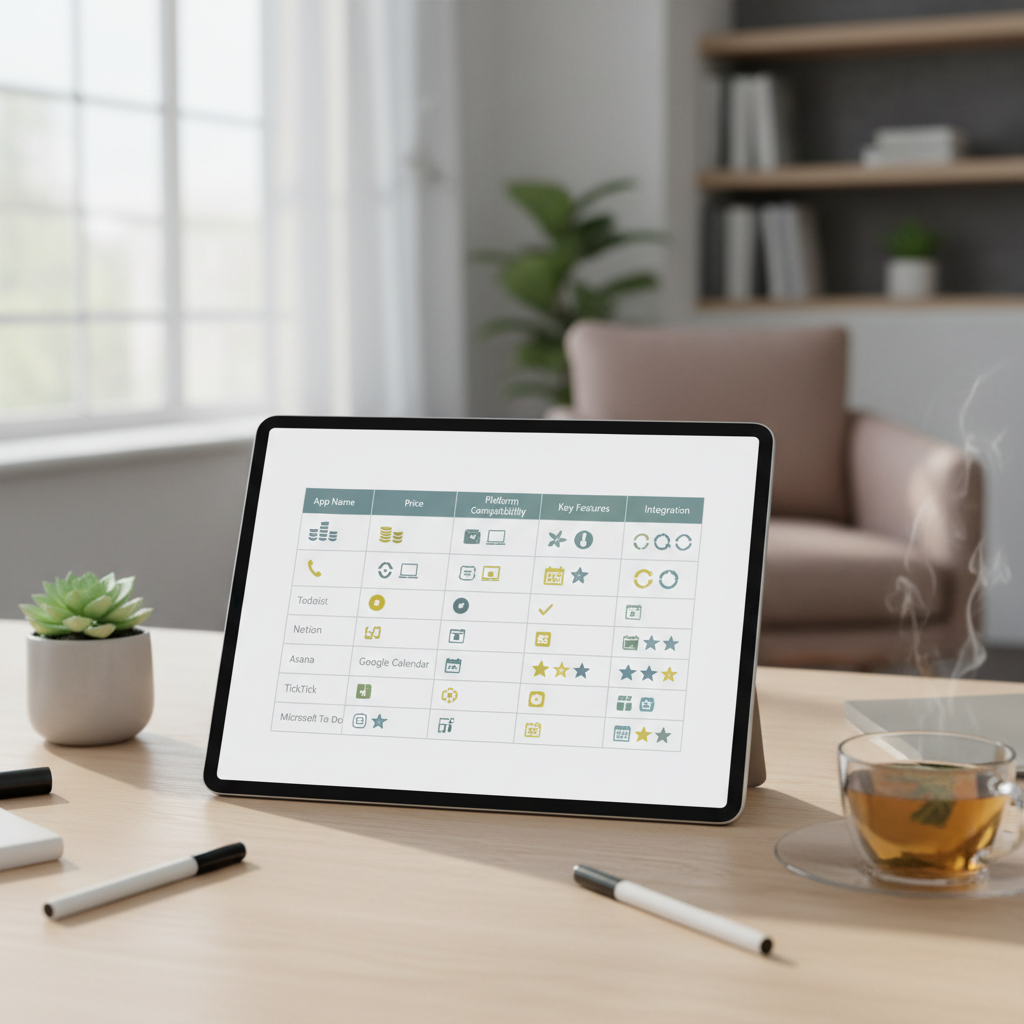
A phone planner keeps your tasks, calendar and routines in the device you already carry everywhere. Digital planners sync across devices, send timely reminders and adapt when your schedule changes. This guide compares the best phone planner apps and digital planner templates for iPhone and Android, with pricing, features, privacy notes and setup tips for every need.
> Accuracy note: App features, prices and ratings change often. The figures below are approximate and based on publicly listed pricing at the time of writing. Check the App Store, Google Play or each developer's site before you buy. Items marked [verify] should be confirmed against current listings, and our testing notes should be replaced with your own team's results before publishing.
What Is a Phone Planner? Apps, Digital Templates and Physical Planners
"Phone planner" means three different things, and knowing which one you want saves time:
1. Planner apps: Software such as Todoist, TickTick or Microsoft To Do that manages tasks, reminders and schedules.
2. Digital planner templates: Phone-sized PDFs or workspaces you use inside GoodNotes, Notability, Notion or Samsung Notes. They look like a paper planner but live on your screen.
3. Physical or printable planners: Pocket-sized paper planners, or printable pages sized for small notebooks.
This page focuses on apps and digital templates. If you want paper or printables, see the short pointer in the templates section and the digital vs paper section below.
How We Evaluate Planner Apps
We judge each app on the same criteria: task management depth, calendar integration, widgets and notifications, offline use, sync reliability, privacy, and value for money. Each app should be used for at least a week on both an iPhone and an Android phone, with the same sample workload (work tasks, recurring chores and calendar events). [Editor: insert your actual devices, OS versions and testing dates here.]
Best Phone Planner Apps at a Glance
Quick Picks
– Best overall: Todoist, for speed, simplicity and cross-platform polish
– Best free: TickTick, for the most features at no cost
– Best for iPhone: Apple Reminders paired with Todoist or Things 3 [verify]
– Best for Android: Google Calendar with Google Tasks, or TickTick
– Best for ADHD: TickTick, for its Pomodoro timer, habit tracker and flexible reminders
– Best for students: Notion, for notes, syllabi and tasks in one place
– Best AI planner: Motion or Reclaim.ai for auto-scheduling [verify current plans]
Comparison Table
| App | Platforms | Offline | Widgets | Watch | Free plan | Starting price |
|---|---|---|---|---|---|---|
| Todoist | iOS, Android, Web, Desktop | Yes | Yes | Apple Watch, Wear OS | Yes | ~$4/mo (Pro) |
| TickTick | iOS, Android, Web, Desktop | Yes | Yes | Apple Watch, Wear OS | Yes | ~$2.80/mo |
| Notion | iOS, Android, Web, Desktop | Limited | Limited | No | Yes (personal) | ~$8/user/mo |
| Akiflow | Web, Desktop, mobile [verify] | Limited | Limited | No | No (trial) | ~$15/mo |
| Microsoft To Do | iOS, Android, Web, Windows | Yes | Yes | Limited | Free | Free |
| Google Calendar + Tasks | iOS, Android, Web | Yes | Yes | Wear OS, Apple Watch | Free | Free |
| Apple Reminders | iOS, iPadOS, macOS, Web | Yes | Yes | Apple Watch | Free | Free |
Best Daily Planner Apps
A good daily planner app combines a to-do list, a timeline and reminders. For more on the principles behind these features, see our guide to Task Management: Tools, Techniques & Best Practices for Success.
1. Todoist
– Overview: A leader among to-do list planner apps, loved for simplicity, speed and power. Ideal for individuals and small teams.
– Key features: Natural language input (e.g., "Team meeting every Friday at 10am"), priority levels, sections, Kanban-style boards, productivity charts and extensive integrations.
– Pros: Clean interface, excellent cross-platform support, smart task creation, motivating Karma system.
– Cons: Reminders and some other features require the Pro plan.
– Pricing: Free plan available with limits on projects; Pro from around $4/month.
– Best for: Anyone who wants fast capture and a dependable daily list.
– Get it: App Store | Google Play
2. TickTick
– Overview: A feature-packed planner that competes directly with Todoist, with a built-in habit tracker, Pomodoro timer and multiple calendar views.
– Key features: Pomodoro timer, habit tracker, Eisenhower Matrix, notes within tasks, voice input.
– Pros: Generous free version and very affordable premium tier.
– Cons: The interface can feel more cluttered than Todoist.
– Pricing: Free plan; Premium around $2.80/month.
– Best for: People who want to consolidate tasks, habits and focus timers in one app.
– Get it: App Store | Google Play
3. Akiflow
– Overview: A premium tool for professionals who live by their calendar. It pulls tasks from Slack, Gmail and Notion into a universal inbox and helps you time-block your day.
– Key features: Universal inbox, drag-and-drop time blocking, command bar, meeting scheduler.
– Pros: Excellent for consolidating tasks and protecting focus time.
– Cons: No free plan (trial only) and premium pricing. Mobile experience is lighter than the desktop app [verify].
– Pricing: From around $15/month.
– Best for: Professionals with many inputs and a packed calendar.
4. Notion
– Overview: Less an app than a flexible workspace for building a custom planning system with notes, databases and boards.
– Key features: Databases with calendar, list, board and timeline views, extensive templates, collaboration.
– Pros: Infinitely customizable, strong free plan for personal use.
– Cons: Steep learning curve, and it can feel heavy for simple tasks on a phone.
– Pricing: Free for personal use; paid plans from around $8/user/month.
– Best for: Students and anyone who wants planning and knowledge management together.
5. Microsoft To Do
– Overview: The successor to Wunderlist. Its "My Day" view keeps you focused on today's priorities and it integrates with Outlook.
– Pros: Free, clean and reliable.
– Cons: Fewer advanced views and integrations.
– Best for: Outlook and Microsoft 365 users.
Best Planner App for iPhone
iPhone users benefit from tight system integration:
– Widgets and Lock Screen: Add a task list or today view to your Home Screen or Lock Screen for one-glance planning.
– Focus modes: Filter notifications so only your planner's reminders break through during work hours.
– Apple Watch and Siri: Capture tasks by voice and check your day from your wrist.
Top picks:
– Apple Reminders: Now a surprisingly capable planner, with smart lists, tags, subtasks and Siri. Free.
– Todoist: Polished iOS widgets, Lock Screen support and Apple Watch app. Free; Pro from around $4/month.
– Things 3: A well-regarded Apple-only planner with a one-time purchase model [verify price].
[Add screenshots of each app's widget and daily view here.]
Best Planner App for Android
Android's strengths include flexible widgets, Wear OS support and native Google Calendar integration:
– Google Calendar + Google Tasks: Free, simple and deeply integrated with Gmail and Assistant.
– TickTick: Highly customizable widgets, Wear OS support and a strong free tier.
– Todoist: Reliable sync, widgets and Wear OS app.
– Microsoft To Do: Good choice if you use Outlook.
[Add screenshots of widgets and daily views here.]
Best Digital Planner Templates for Phone Screens
If you like the feel of a paper planner, a phone-sized digital planner may suit you better than a task app.
– GoodNotes and Notability: Import phone-sized PDF planners with hyperlinked tabs, then write or type on them. Best with a stylus or tablet, though usable on a phone.
– Notion: Duplicate a free or paid template into your workspace for daily, weekly and project pages that work well on mobile.
– Samsung Notes: Supports PDF import and handwriting on Galaxy devices.
Tips for choosing:
– Look for hyperlinked PDFs so tabs and dates are tappable.
– Check the page dimensions match your screen (often sold as "phone size" or 9:16 layouts).
– Confirm compatibility with your note app before buying.
– Marketplaces such as Etsy offer many paid options, and many creators offer free starter templates.
Prefer paper? Pocket-sized planners and printable phone-sized inserts are a separate category; we cover them in our paper planning resources.
Best AI Daily Planner Apps
AI planners promise to organize your day for you. In practice they do three things well:
– Auto-scheduling: Fitting tasks into open calendar gaps (Motion, Reclaim.ai, Akiflow's assistant features) [verify].
– Task breakdown: Turning a big goal into smaller steps, often using a chat assistant.
– Time blocking: Rearranging your day when meetings change.
Limits: AI schedules rely on accurate estimates and deadlines from you, can overpack your day, and sometimes reshuffle tasks in ways you don't want. Treat them as a draft, not a final plan.
Privacy: AI planners usually need access to your calendar and task content. Review what data is sent to third parties, whether it is used for model training, and how to delete it.
Schedule Planner and To-Do List Features to Compare
– Timeline and calendar view: Seeing tasks beside appointments prevents overbooking.
– Reminders: Look for time-based, location-based and repeating alerts.
– Recurring tasks: Natural language scheduling ("every other Monday") saves setup time.
– Calendar import and integrations: Two-way sync with Google, Outlook or iCloud calendars is essential. Also check for Kanban boards if you manage projects.
– Sync: Confirm real-time syncing across phone, computer and watch.
Free vs Paid: Pricing and Feature Breakdown
| App | Free tier includes | Paywalled | Model | Approx. price |
|---|---|---|---|---|
| Todoist | Core tasks, limited projects | Reminders, more projects, filters | Subscription | ~$4/mo |
| TickTick | Tasks, habits, basic calendar | Advanced calendar views, more lists | Subscription | ~$2.80/mo |
| Notion | Personal workspace | Team features, higher limits | Subscription | ~$8/user/mo |
| Akiflow | None (trial) | Everything | Subscription | ~$15/mo |
| Microsoft To Do | Everything | N/A | Free | $0 |
| Google Tasks/Calendar | Everything | N/A | Free | $0 |
| Apple Reminders | Everything | N/A | Free | $0 |
| Things 3 | None | Everything | One-time purchase | [verify] |
When upgrading is worth it: Pay when you hit limits on projects, need reminders, want calendar time blocking or collaborate with others. If you only need a simple list, the free apps are plenty. Free apps also have limits, mainly fewer advanced views and third-party integrations.
Privacy, Offline Use and Data Sync Compared
| App | Offline use | Encryption | Account required | Data export |
|---|---|---|---|---|
| Todoist | Yes | In transit and at rest [verify] | Yes | CSV backup |
| TickTick | Yes | In transit [verify] | Yes | CSV/backup |
| Notion | Limited | In transit and at rest [verify] | Yes | Markdown/CSV/PDF |
| Apple Reminders | Yes | iCloud encryption | Apple ID | Limited |
| Google Tasks | Yes | Google standard | Google account | Via Google Takeout |
| Microsoft To Do | Yes | Microsoft standard | Microsoft account | Limited |
Verify each entry against current privacy policies before publishing.
Tips for a privacy-friendly planner:
– Read the privacy policy for data sharing and AI training statements.
– Prefer apps with easy data export so you are not locked in.
– Limit calendar and contacts permissions to what you need.
– Use two-factor authentication on your account.
How to Choose a Phone Planner for Your Use Case
– Students: Notion for notes, syllabi and assignments; Todoist for simple deadline tracking.
– ADHD: TickTick for Pomodoro and habit tracking, plus persistent reminders. Akiflow's visual time-blocking can reduce decision fatigue. Keep setup minimal.
– Remote and office workers: Akiflow or Todoist with Google or Outlook calendar sync.
– Parents: Google Calendar with shared calendars and shared task lists (Todoist or Microsoft To Do).
– Budget planning: Free options like Google Tasks, Microsoft To Do or Apple Reminders, or TickTick's free tier.
Before committing, try your top two choices for a week. As Harvard Business Review notes, effective time management is about finding a system that fits your personal energy and priorities.
How to Set Up a Phone Planner Step by Step
1. Install your chosen app and sign in so data syncs across devices.
2. Import calendars (Google, Outlook or iCloud) so tasks and events appear together.
3. Create categories: Start with a few, such as Work, Home and Personal.
4. Set recurring tasks for routines like bills, workouts and weekly reviews.
5. Add widgets:
– iOS: Long-press the Home Screen, tap +, and choose your app's widget. For the Lock Screen, long-press it and tap Customize.
– Android: Long-press the Home Screen, choose Widgets, then pick your planner.
6. Tune notifications: Allow alerts only for tasks with due times, and use Focus mode (iOS) or Do Not Disturb (Android) to avoid overload.
7. Build a routine: Spend five minutes each morning choosing three priorities, and do a 15-minute weekly review to clear your inbox and plan ahead.
Digital vs Paper Planning
Digital pros: Syncing, reminders, search, recurring tasks, collaboration, always with you.
Digital cons: Notifications can distract, battery dependence, and less tactile satisfaction.
Paper pros: Focus, tactile memory, no distractions.
Paper cons: No reminders, hard to reschedule, not searchable.
Hybrid approach: Keep appointments and recurring tasks in an app, and use paper (or a handwriting template in GoodNotes) for daily priorities and brainstorming.
User Reviews and Ratings Summary
[Editor: fill in current store ratings and add the date checked, e.g. "Ratings checked on [date]".]
| App | App Store | Google Play | Common praise | Common complaints |
|---|---|---|---|---|
| Todoist | [add] | [add] | Clean design, fast capture | Features behind paywall |
| TickTick | [add] | [add] | Value, all-in-one features | Busy interface |
| Notion | [add] | [add] | Flexibility | Slow mobile, learning curve |
| Microsoft To Do | [add] | [add] | Simple, free | Limited features |
FAQ
What is the best daily planner app?
There is no single best for everyone, but Todoist is a top contender for its mix of simplicity, power and cross-platform availability. TickTick is the best value.
What is the best planner app for iPhone?
Apple Reminders is an excellent free option with deep Siri, widget and Watch integration. Todoist and Things 3 are strong paid alternatives.
Is there a good planner app for Android?
Yes. Google Calendar with Google Tasks is free and well integrated, while TickTick and Todoist offer more advanced features and widgets.
What is the best free digital planner app?
TickTick has the most generous free plan among third-party apps. Microsoft To Do, Google Tasks and Apple Reminders are fully free.
Can AI plan my day for me?
Partly. AI tools can auto-schedule tasks and break down projects, but they depend on your inputs and often need manual adjustment.
Do planner apps work offline?
Most major apps, including Todoist, TickTick, Google Tasks and Apple Reminders, let you view and add tasks offline and sync when you reconnect. Notion's offline support is more limited.
Conclusion
The best phone planner is the one you will actually use daily. Start with a free option, set up your calendar sync and widgets, and give it a week. Whether you choose a simple to-do app, a customizable workspace like Notion, or a digital template in GoodNotes, a reliable system frees mental space for what matters.
Free to start on the web and iPhone; Pro is $8 a month or $72 a year.
See voca9 pricing<!– Schema Entities: Article, FAQPage, Product, Review –>
Updated